

AL RAHAL app iconRAHAL PRO

CAR WASH OPERATIONS & WORKFORCE PLATFORM

Your entire operation.
In the palm of your hand.

Manage your car wash business with RAHAL PRO—from contracts and daily wash schedules to collections, HR and payroll. Bring your team together in one platform with AI assistance and full English and Arabic support.

One source of truth

Contracts, schedules, payments and people share the same records, so every screen agrees.

At the desk or in the field

A clear workspace for your office team and an installable app for crews on the move.

Control who sees what

Role defaults, per-feature permissions and per-building access, enforced on the server.

Every action on record

A full activity log, email history and payroll snapshots that cannot be silently changed.

Everything you need to run the operation

Contracts & parking

Monthly contracts, cars and buildings managed in one place.

Set the subscription frequencies, bilingual names and display order in Settings, then define monthly prices by car size with optional building overrides. Building QR sign-up shows only that building’s active service days and clearly separates the monthly subscription from a partial first-month charge. Marketing price tables use the same configured tiers and prices across previews and exports; one-time service columns stay separate. Changes do not reprice existing contracts.

UP NEXT02 · Payments & collections

Payments & collections

Know who collected, who handed over and what is still owed.

Record a payment against the relevant contract and month, or use bulk entry to capture several payments in one sitting. The phone-friendly forms keep collection details close to the account they affect, so collected and remaining amounts can be reviewed together.

UP NEXT03 · Scheduling & field work

Scheduling & field work

Plan the week, publish it and let crews follow it minute by minute.

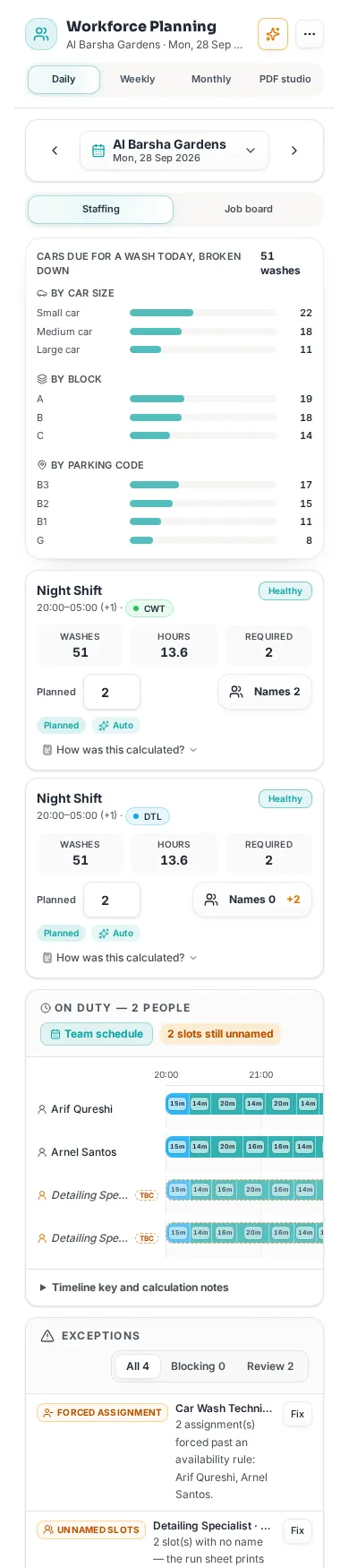
Plan staffing by building and shift, compare the work due with available capacity and place cars on the Job Board. Auto-allocation, workload balancing and cross-building cover help build a workable plan; review the result before publishing it for the field team.

UP NEXT04 · People, HR & payroll

People, HR & payroll

From hiring to payslip, with a clear audit trail.

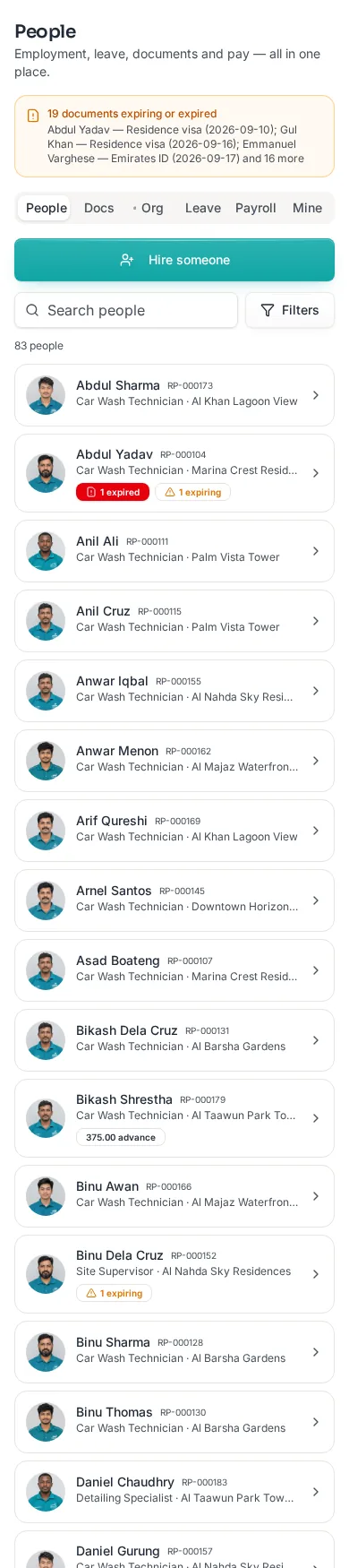
Keep one employee record across the team directory, planning and HR. Organise people with managed departments and job titles, use automatically assigned staff codes and see setup gaps on the relevant records before they affect payroll or workforce planning.

UP NEXT05 · Proposals & company profile

Proposals & company profile

Win new buildings with polished, brand-aware proposals.

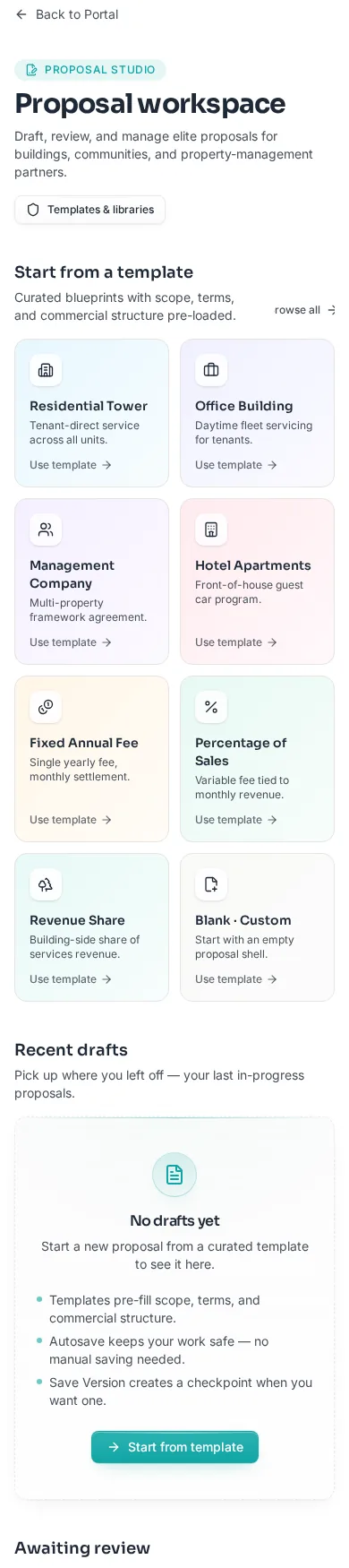
Build a proposal from a blank draft or a template, refine its scope and commercial terms, and manage it through review, sending and approval. Version history keeps earlier drafts available so a revised offer does not erase how the proposal developed.

UP NEXT06 · RAHAL PRO Intelligence

RAHAL PRO Intelligence

Ask your business a question and get an answer — or an action.

Ask operational questions in everyday language about contracts, parking accounts, schedules or the workforce. Intelligence can use its governed read tools to work from the records in RAHAL PRO, making the answer more useful than a generic response detached from your business data.

UP NEXT07 · Access, oversight & settings

Access, oversight & settings

Stay in control of your team, your data and your brand.

Start with role-based access defaults, then grant or limit individual features and buildings for the people who need them. The relevant actions check permissions on the server as well as in the interface, so hiding a control is not the only protection around a record.

UP NEXT08 · Mobile app & offline

Mobile app & offline

Install it like an app. Keep working when the signal drops.

Add the portal to a phone’s home screen for an app-like entry into daily work. It opens the same RAHAL PRO workspace used at the desk, with the layout adapting to a smaller screen rather than requiring a separate set of staff records.

The practical details

Good to know

A clear look at access, offline work and automation — so you know exactly how RAHAL PRO works with your team.

Where offline works

Permitted field users can continue supported work in My Wash Day and Collections when the connection drops, using data already available on their device. Recorded work is submitted when the connection returns; offline access must be enabled and prepared while online.

What needs a connection

Administration, employee records, leave, payroll, proposals, settings and other office workflows are online-only. Installing the app on a phone does not make every screen available offline.

Automation stays within your rules

Contract changes can trigger schedule re-planning, but only within the limits and safety controls configured for the operation. Manually protected planning decisions are not treated as disposable suggestions.

AI proposes; your team decides

Intelligence can answer questions and prepare changes, but it presents actions for review and confirmation before they are applied. Confirmed actions follow the relevant permissions and leave an audit record; undo is available for supported actions.

Access follows responsibility

A person sees only the features and buildings granted to them. Access is checked for protected actions on the server too, so a hidden button or a changed browser screen cannot grant permission to someone who does not have it.

A separate demo company

The demo uses sample company data kept separate from live records. You can explore workflows and make allowed changes there, but outgoing messages, access invitations and other restricted actions are unavailable in the demo.

See RAHAL PRO with your own operation in mind.

Book a walkthrough on WhatsApp and we’ll tailor it to your buildings and team.